Suica Charge Best Credit Card Guide for Smart Travelers
Using Suica in Japan feels effortless. Tap in, tap out, grab a coffee, ride a train, buy snacks, and even pay at convenience stores without touching cash. But behind that convenience is one important question many travelers and residents ask:
What is the smartest way to charge Suica using a credit card?
This guide is written for people who actually use Suica in real life, not just for search engines. I will explain how Suica charging works, what makes a credit card good for topping up, common problems users face, and how to choose the right option based on real travel behavior. Whether you are visiting Japan, studying, working, or living long term, this article helps you avoid wasted fees, failed payments, and unnecessary stress.
The goal is simple: help you charge Suica efficiently, securely, and cost effectively.
What Is Suica and Why Charging Method Matters
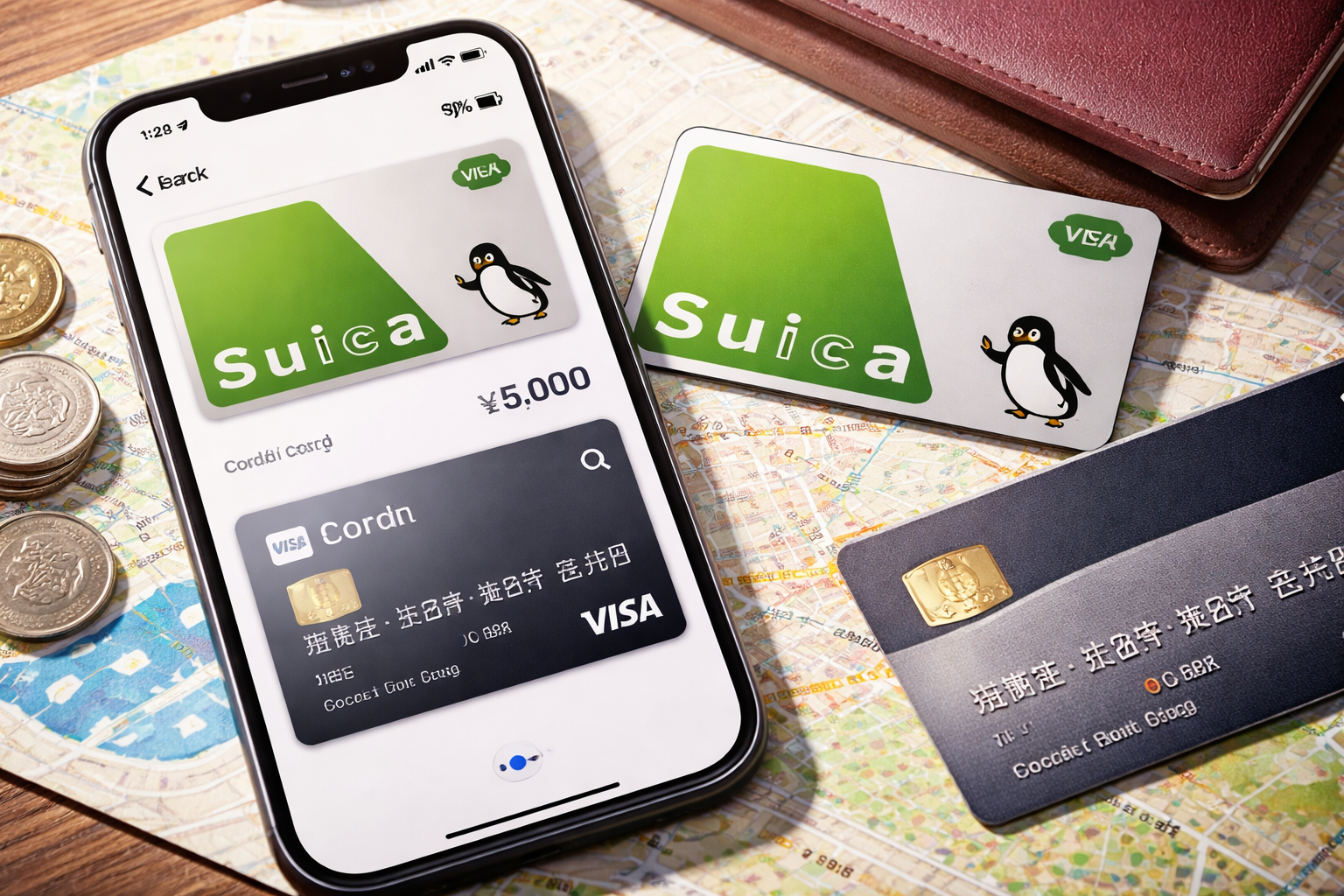
Suica is a rechargeable IC card issued by JR East. It works across trains, buses, vending machines, lockers, shops, and many services throughout Japan. You can use it physically or inside Apple Wallet on iPhone.
At first glance, charging looks simple. You add money and keep moving. But the method you use affects:
- Your total cost
- Your rewards or cashback
- Transaction success rate
- Security of your card
- Convenience while traveling
Many people assume any credit card works. In practice, Suica has restrictions, country compatibility issues, currency conversion concerns, and platform limitations that matter a lot.
If you pick the wrong card, you may face:
- Declined payments
- Extra foreign transaction fees
- Poor exchange rates
- Limited recharge amounts
- No reward benefits
That is why understanding how Suica interacts with credit cards is more important than most travelers realize.
How Suica Charging Actually Works
Before choosing a card, you need to understand how charging is processed.
There are three main ways to add funds:
Physical Machines
You can charge at ticket machines using:
- Cash
- Some Japanese issued cards
- Limited foreign cards
Most machines prioritize cash. Credit card acceptance is inconsistent and often restricted to domestic cards.
Mobile Suica on iPhone
This is the easiest modern method.
- Add Suica to Apple Wallet
- Charge directly using a linked card
- Works globally if the card supports Japanese merchant processing
Apple Wallet acts as the payment bridge between your card and Suica.
Apps and Online Management
Some users manage Suica through apps linked to their device account. Again, card compatibility depends heavily on issuer, network, and country.
In short, the best experience usually comes from charging Suica through Apple Wallet rather than machines.
What Makes a Credit Card Good for Charging Suica
Not all credit cards behave the same way when interacting with Japanese systems. A good option for Suica charging should meet several conditions.
1. International Acceptance
Your card must allow transactions processed in Japan. Some banks block overseas transport merchants by default.
Look for cards with:
- Strong global payment support
- Reliable Visa or Mastercard networks
- Fewer regional restrictions
If your card fails authorization, Suica will not charge even if your balance is available.
2. Low Foreign Transaction Fees
If your card adds a foreign fee, every recharge becomes more expensive.
Ideally, choose a card with:
- 0% foreign transaction fee
- Transparent currency conversion
- No hidden markup
A small 3% fee adds up quickly if you recharge often for transport and daily purchases.
3. Stable Mobile Wallet Compatibility
For digital Suica users, your card must work smoothly inside mobile wallets.
A good card supports:
- Apple Wallet charging
- Secure tokenized payments
- Fast authorization
Some banks block transport card recharges inside wallets due to fraud systems. Stability matters more than brand popularity.
4. Reward Efficiency
Every recharge is still a purchase. Some cards reward transport or mobile wallet payments better than others.
Good cards offer:
- Cashback
- Travel points
- Everyday spend bonuses
Even small rewards feel meaningful when you tap Suica dozens of times per day.
5. Security Controls
Since Suica is used constantly, you want strong protection.
Helpful features include:
- Instant app notifications
- Easy freeze controls
- Virtual card options
- Spending limits
If your phone or card is lost, you should be able to secure it immediately.
Real World Challenges When Charging Suica
On paper everything sounds simple. In practice, users face very real issues.
Foreign Cards Getting Declined
Many travelers complain that their cards work everywhere else in Japan but fail when charging Suica digitally.
Common causes:
- Bank blocks transit merchant codes
- Wallet payments disabled
- Country mismatch
- Security verification failure
Sometimes the card works for hotels and shopping but not transport recharges.
Exchange Rate Confusion
When charging, your home bank converts yen to your local currency.
Problems happen when:
- Banks apply extra markup
- Dynamic currency conversion sneaks in
- Fees are not visible upfront
This can make a cheap recharge quietly expensive.
Limited Top Up Amounts
Some cards restrict:
- Maximum per transaction
- Daily total
- Number of wallet charges
That becomes frustrating when you rely on Suica for commuting and shopping all day.
Refund and Dispute Complexity
If something goes wrong, refunds for transport card charges are slower than normal purchases. Many banks treat them differently.
That is why choosing a reliable charging card is about more than rewards. It is about avoiding operational headaches.
Charging Suica with iPhone Versus Physical Card
Let’s talk practical behavior.
Physical Suica
- Mostly cash friendly
- Credit card use is limited
- Less flexible for foreign users
- Requires finding machines
Best for people who prefer cash and short stays.
Mobile Suica on iPhone
- Recharge anywhere
- No machines needed
- Faster payment authorization
- More card compatibility
For frequent travelers and residents, mobile Suica is simply superior.
If you plan long usage, switching to iPhone Suica saves time, reduces friction, and makes your credit card selection much more powerful.
How to Choose the Right Card for Your Situation
Instead of naming brands, the smarter approach is matching features to user type.
For Tourists and Short Term Visitors
Your focus should be:
- No foreign transaction fee
- Wallet compatibility
- Easy approval process
You want charging to work on day one without calling your bank.
Check before travel:
- International payments enabled
- Wallet payments enabled
- Japan merchant support
Avoid cards that require regional verification for every transport transaction.
For Students and Long Stay Residents
You will recharge often.
Priorities become:
- Stable authorization
- Reward accumulation
- Low fees
- Security monitoring
You benefit most from cards that treat Suica as normal daily spend instead of special category blocking.
For Business Travelers
You care about:
- Expense tracking
- Clean transaction logs
- Currency transparency
Choose cards that separate wallet charges clearly and provide statements without hidden conversion layers.
Step by Step: How to Charge Suica Safely
Here is a practical charging process that minimizes problems.
- Add Suica to Apple Wallet
- Link your preferred credit card
- Enable international payments with your bank
- Set alerts for transactions
- Start with a small test charge
- Confirm currency and fees
- Increase amount gradually
This approach avoids sudden blocks and helps your bank learn your usage pattern.
Common Myths About Suica Charging
Let’s clear a few misconceptions.
Myth 1: Any credit card works
Reality: Many cards fail due to region, wallet policy, or merchant coding.
Myth 2: Cash is always better
Reality: Digital charging is faster, safer, and trackable when set up correctly.
Myth 3: Rewards do not apply
Reality: Many cards still earn points on wallet transport recharges.
Myth 4: Only Japanese cards work
Reality: Many international cards work fine if configured properly.
Understanding these myths helps avoid unnecessary limitations.
Security Tips for Suica and Credit Cards
Because Suica is used constantly, security deserves attention.
Best practices include:
- Enable biometric authentication on your phone
- Turn on transaction alerts
- Use wallet freeze options
- Monitor recharge history weekly
- Avoid public WiFi when modifying payment settings
If your phone is lost, remote lock and card suspension protect your funds immediately.
Using Suica for More Than Transport
Many people think Suica is only for trains. In reality, it is a daily payment tool.
You can use it for:
- Convenience stores
- Restaurants
- Coffee shops
- Lockers
- Vending machines
- Some taxis
That means your credit card recharge strategy affects almost all daily spending in Japan.
Choosing wisely turns Suica into a controlled, efficient spending layer between your card and your lifestyle.
Optimizing Costs When Charging Suica
To reduce waste:
- Avoid small frequent recharges
- Charge larger amounts less often
- Watch exchange rates
- Disable dynamic conversion
- Track monthly totals
Small efficiency habits save surprising amounts over time, especially for commuters.
Troubleshooting Failed Charges
If a recharge fails:
- Check bank app for blocks
- Confirm wallet permissions
- Verify international payments
- Try smaller amounts
- Restart wallet
- Contact issuer support
Most failures are authorization based, not Suica system errors.
Future of Suica and Credit Cards
Japan continues moving toward cashless transport.
Trends include:
- Stronger mobile wallet integration
- Broader international card acceptance
- Faster authentication layers
- Unified transport payments
As systems improve, charging Suica with global cards becomes smoother, but understanding compatibility still matters today.
FAQs
What is the safest way to charge Suica with a credit card?
Using mobile Suica through a secure wallet with biometric protection and transaction alerts is the safest and most reliable method.
Why does my credit card work in shops but not for Suica recharge?
Some banks block transport merchant codes even if retail purchases are allowed. Wallet permissions or regional restrictions are common causes.
Are there extra fees when charging Suica with foreign cards?
Possible fees include foreign transaction fees and exchange rate markup depending on your card issuer and currency policy.
Can I charge Suica automatically?
Yes, mobile Suica supports auto recharge features on compatible devices and cards, keeping balance topped up without manual action.
Is it better to charge small amounts or large amounts?
Larger, less frequent charges reduce authorization issues and minimize conversion fees over time.
Does charging Suica count as a normal purchase?
Most banks treat it as a standard transaction, but some classify it under transport or wallet payments which may affect rewards.
Conclusion
Charging Suica is simple on the surface, but smart users understand the deeper layers behind the tap. The card you use affects cost, reliability, security, and daily convenience across transport and shopping in Japan.
Instead of chasing brand names, focus on behavior: international acceptance, low fees, wallet stability, security controls, and reward efficiency. When those elements align, Suica becomes more than a transit card. It becomes a powerful everyday payment system that works smoothly with your credit card strategy.
With the right setup, every recharge feels invisible, fast, and financially efficient.